Let's Talk Awesome Controller Adapters

Anything that is gaming related that doesn't fit well anywhere else
Post Reply
User avatar
Jagosaurus
Next-Gen
Posts: 4060
Joined: Sat Mar 09, 2013 12:15 pm
Location: Houston area, Texas

Let's Talk Awesome Controller Adapters

Post by Jagosaurus »

I thought it might be beneficial, or at minimal fun, to discuss some of the controller adapters I've ran across lately.

I stumbled on this Brazilian modder when looking for alternative controllers to use on modded oXbox & PS3s for emulation purposes.

http://shop.brunofreitas.com

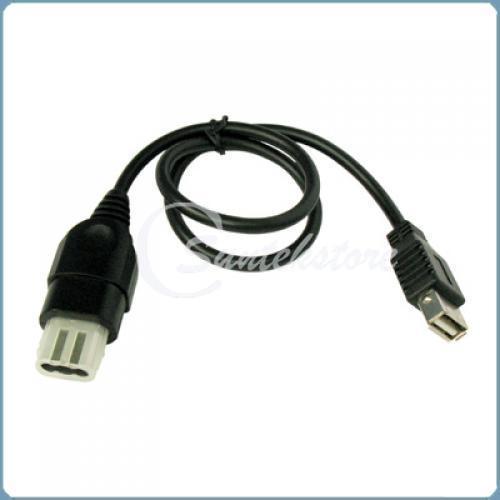
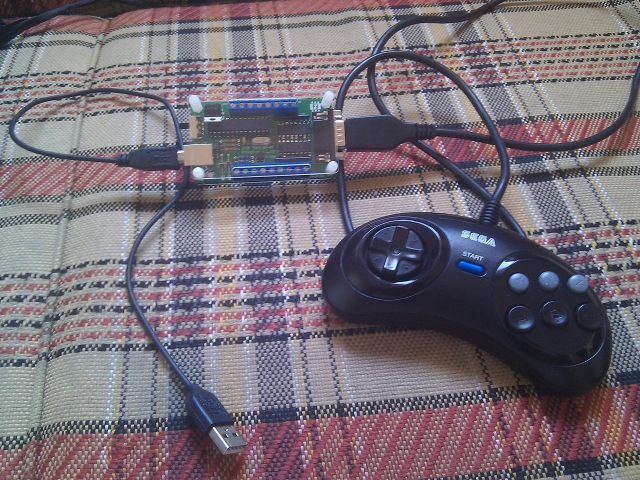
All you need is a cheap USB to oXbox controller port now (which any one soft modding likely has) & you're using a 6 button Genesis controller on your OG xbox emulators! This is the USB RetroPad Adapter Lite for USB only output for oXbox, PS3, or PC. There are adapters for other input controllers, Genesis natively supported.
Image

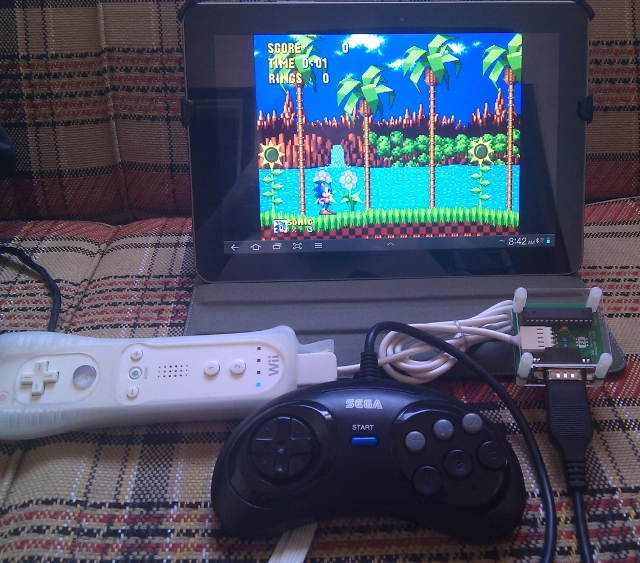
The Wii RetroPad Adapter 2 supports Android! Also great for emus on soft modded Wiis.
Image

The additional possibilities with the more robust RetroPad32 are impressive.
Check out the "RetroPad32 Output Cable" drop down order menu. This cable is a RJ45 (ethernet type) from RetroPad32 into the receiving console.
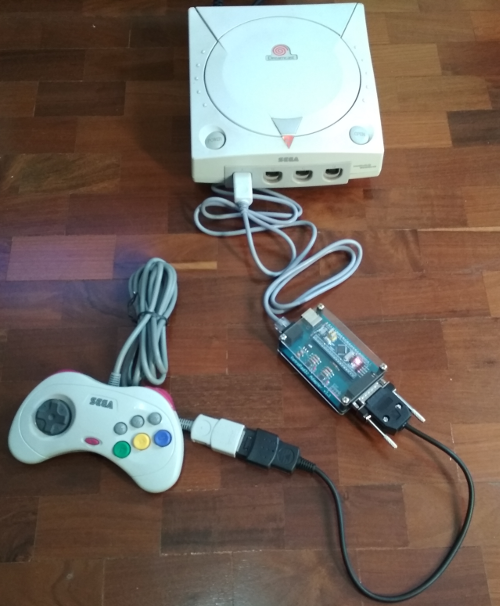
RetroPad32 adapter, you'll be able to connect the controllers listed above to the following systems and consoles:
- PC, Mac OS and Linux based systems, including Raspberry Pi, via USB (DINPUT or XINPUT)
- MS Classic XBOX
- Sony Playstation 1 and Playstation 2
- Sony Playstation 3
- Nintendo Wii U (via USB and also Wiimote connection)
- Nintendo Wii (via Wiimote or Gamecube port connection)
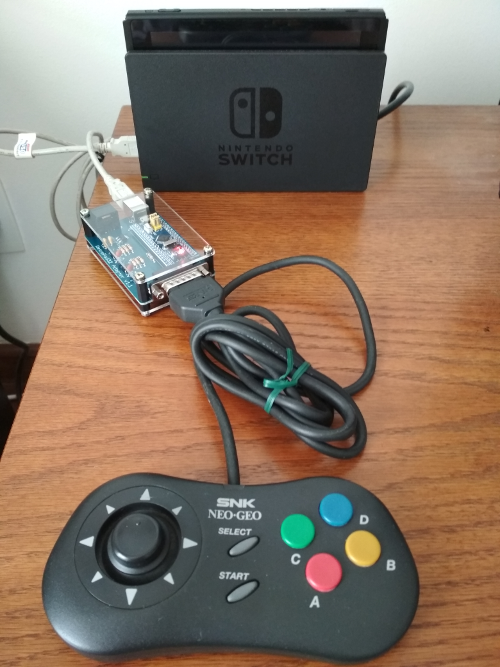
- Nintendo Switch (via USB connection)
- Sega Dreamcast
- Nintendo Gamecube
- Nintendo 64
- Sega Genesis, Nintendo NES, Nintendo SNES, NeoGeo, MSX and Sega Saturn via special expansion board
The "RetroPad32 Input Cable" represents the controllers you can use on the consoles above.
These include:
RetroPad32 currently supported controllers:
- NeoGeo controller (doesn't require any extra input cable - connects directly to the RetroPad32's DB15 port)
- Sega Genesis, Sega Master System, Atari 2600 controllers (and compatible controllers)
- NES controller
- SNES controller
- Playstation 1 and Playstation 2 controllers
- Nintendo GameCube controller
- Nintendo 64 controller
- Sega Saturn controller
- Turbografx 16 and PC-Engine controllers
- Sega Dreamcast controller
- Nintendo Wii Classic Controller and the Wii Nunchuk
Note: there's also a USB input adapter.

For example, use your GCN controller on your N64, use your PS2 controller on your DC, use SNES controller on PS1, use NES on Rasberry Pi. You get the picture. All from 1 device!

Saturn controller listed (and pictured) as supported but not currently available for order (same for TG16) :cry:

Image

Neo Geo on Switch... why not!
Image

Cool note on wireless for any consoles listed above:
Additional (wireless!!) controllers supported via 8bitdo Retro Receiver connected to the RetroPad32 adapter via Wii Classic Controller Input Cable:

- Sony Playstation 3 wireless controller
- Sony Playstation 4 wireless controller
- Nintendo Wiimote
- Nintendo WiiU Pro wireless controller
- All 8bitdo bluetooth controllers (except SN30/SF30 2.4G controllers)
Honestly, too many combinations to name. Check them out.

These next 2 sites for adapters came recommended from Atari Age:

Retro centric
Using retro controllers on emus & more
https://www.raphnet-tech.com/products.php

Newer consoles
http://www.brookaccessory.com/Super%20C ... /list.html

I have no experience ordering from any of these 3, but that may change soon.

What do you all think? Any useful combos for your set up & needs?

Games Beaten 2025, 2024, 2023 | Retro Achievements
xJAGOx = Xbox Gamertag | Console Mods
User avatar
chuckster
32-bit
Posts: 270
Joined: Sat Sep 27, 2014 3:05 pm

Re: Let's Talk Awesome Controller Adapters

Post by chuckster »

Great thread!

I've recently been wondering if a Raphnet adapter (or any other low lag option) could be used with an 8bitdo 2.4GHz wireless adapter. I'd love to have the sweet, sweet D-pad of the M30 2.4g with half-frame wireless latency on PC. I have Saturn adapters and even USB Saturn pads, but wireless remains elusive for me.
User avatar
Dikdikvandik
32-bit
Posts: 253
Joined: Tue Aug 07, 2018 9:31 am

Re: Let's Talk Awesome Controller Adapters

Post by Dikdikvandik »

THIS THING

User avatar
Jagosaurus
Next-Gen
Posts: 4060
Joined: Sat Mar 09, 2013 12:15 pm
Location: Houston area, Texas

Re: Let's Talk Awesome Controller Adapters

Post by Jagosaurus »

chuckster wrote:Great thread!

I've recently been wondering if a Raphnet adapter (or any other low lag option) could be used with an 8bitdo 2.4GHz wireless adapter. I'd love to have the sweet, sweet D-pad of the M30 2.4g with half-frame wireless latency on PC. I have Saturn adapters and even USB Saturn pads, but wireless remains elusive for me.
I don't know much about their device portfolio,
but looking at 8bit Duo site, seems Retro Receiver Compatibility excludes 8BitDo controllers 2.4G controllers. Assuming that's what you're running into? You'd have to go with one of their bluetooth options today for wireless? If you're doing that, could likely go BT straight to PC. If your PC doesn't support BT you could still go:

8bitdo Retro Receiver (one with input same as Wii/NES mini) + RetroPad32 adapter + Wii Classic Controller Input Cable + 8 Bit Duo BT controller

I know the oXbox scene is a bit outdated but I still really love my giant emulation & Halo station 8). I know it's a novelty, but... Really tempted to pick up the USB RetroPad Adapter for $42 so I can use my 6 button Genesis controller on the oXbox emus. The full RetroPad32 that connects to more systems run $67. $25 buck difference. I have several of these oXbox to USB cables laying around so no added cost there. I also like the idea of being able to use it on modded PS3. Future project...

- You will be able to convert your XBOX adapter to a PC/Mac/PS3 model, and vice versa, simply by changing the firmwarepo
Any one interested in these?

The native Wii adapter is also tempting for Android & Wii emus...

The RetroPad32 with the correct inputs could really compete with Bliss Box type devices for PC, while ALSO allowing you to use on retro consoles. Friggin cool it works on Pi too. Swiss army knife.

@Dikdikvandik, that guy is awesome too.

Any one have other adapters we should know about? 8)
Games Beaten 2025, 2024, 2023 | Retro Achievements
xJAGOx = Xbox Gamertag | Console Mods
User avatar
stickem
Next-Gen
Posts: 2321
Joined: Sat Feb 21, 2009 2:57 pm
Location: nashville,tn.

Re: Let's Talk Awesome Controller Adapters

Post by stickem »

Dam, no 3do support? Was hoping to finally use a decent controller for the few games that needed more than 3 buttons.
User avatar
Jagosaurus
Next-Gen
Posts: 4060
Joined: Sat Mar 09, 2013 12:15 pm
Location: Houston area, Texas

Re: Let's Talk Awesome Controller Adapters

Post by Jagosaurus »

stickem wrote:Dam, no 3do support? Was hoping to finally use a decent controller for the few games that needed more than 3 buttons.
Hey man, check out Joe from Game Sack's video. He covers this device. Looks like 3DO now supported!

2:40 3DO version explained
3:10 diagram

Games Beaten 2025, 2024, 2023 | Retro Achievements
xJAGOx = Xbox Gamertag | Console Mods
User avatar
stickem
Next-Gen
Posts: 2321
Joined: Sat Feb 21, 2009 2:57 pm
Location: nashville,tn.

Re: Let's Talk Awesome Controller Adapters

Post by stickem »

i watched it when it came out, but like a dumbass i didn't pay attention to the part you pointed out lol, that there is a version 2 for the 3do and etc. thatnks. sold out at the moment
User avatar
Ziggy
Moderator
Posts: 14913
Joined: Mon Jun 09, 2008 5:12 pm
Location: NY

Re: Let's Talk Awesome Controller Adapters

Post by Ziggy »

I've been looking for something that I can convert a SNES or Playstation 1/2/3 controller to use on an arcade board. The only ones I've been able to come up with are for use on a JAMMA board with a Supergun. The problem there is that I want to consolize a Mortal Kombat II arcade board, which uses the "kick harness" (it adds extra buttons beyond what JAMMA supports).

I know this can be accomplished fairly easily using a microcontroller. The only hurdle there is that I'd have to learn to make sense of the controller's protocol and also learn to program for a microcontroller. I did find this, which will convert a SNES controller for use on an arcade board. The only problem is that it ignores the L and R shoulder buttons. I would need to map all off the buttons of the SNES controller for my project. So again, I'd have to learn enough about the SNES controller protocol and how to program for the Teensy microcontroller in order to modify this for my needs.
User avatar
samsonlonghair
Next-Gen
Posts: 5188
Joined: Tue Feb 17, 2009 2:11 pm
Location: Now: Newport News, VA. Formerly: Richmond. Before that: Near the WV/VA border

Re: Let's Talk Awesome Controller Adapters

Post by samsonlonghair »

Ziggy587 wrote:I've been looking for something that I can convert a SNES or Playstation 1/2/3 controller to use on an arcade board. The only ones I've been able to come up with are for use on a JAMMA board with a Supergun. The problem there is that I want to consolize a Mortal Kombat II arcade board, which uses the "kick harness" (it adds extra buttons beyond what JAMMA supports).

I know this can be accomplished fairly easily using a microcontroller. The only hurdle there is that I'd have to learn to make sense of the controller's protocol and also learn to program for a microcontroller. I did find this, which will convert a SNES controller for use on an arcade board. The only problem is that it ignores the L and R shoulder buttons. I would need to map all off the buttons of the SNES controller for my project. So again, I'd have to learn enough about the SNES controller protocol and how to program for the Teensy microcontroller in order to modify this for my needs.
Maybe the Capcom CPS Changer is what you’re looking for. I’ve never owned one myself, but I know it will allow you to play arcade Street Fighter II with a SuperNES controller. That’s the original Jamma + Kick if I’m not mistaken. Maybe you can use a breakout board or cable to adapt a Mortal Kombat board. Just spitballing. Seems like it should be possible.
ulao
8-bit
Posts: 24
Joined: Tue Mar 08, 2011 1:46 pm

Re: Let's Talk Awesome Controller Adapters

Post by ulao »

Hey wanted to give this thread a little update. I’m getting lots of request about this form post and many people said the forms are not allowing any new signups.

First wanted to replay to the old topics

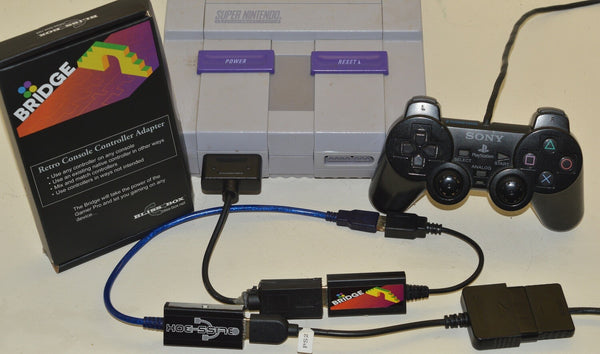
If you want to make an arcae setup, you can use the Gamer-Pro with the Bridge. There would be two options here.
1) Use the neogeo output mode, this is planned to be ready soon
2) Could use a special mode that outputs all the buttons to the HDMI output.

" sold out at the moment" --Is that thing still sold? when I go to the main site I only see it talked about?


Next, the Bridge was also released in 2019 but was mainly an underground talked about device. It has now surfaced and doing many amazing things. Let's take a dive....

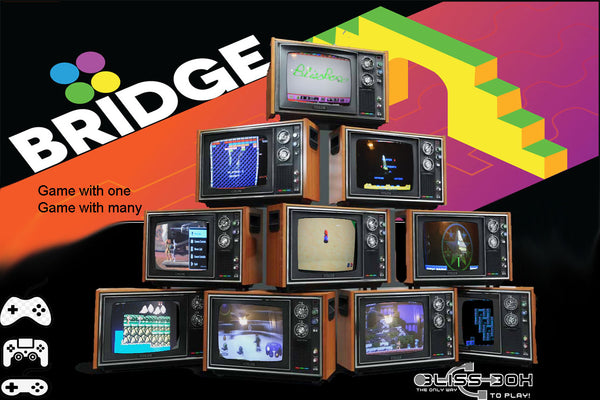
What is the Bridge?

Image

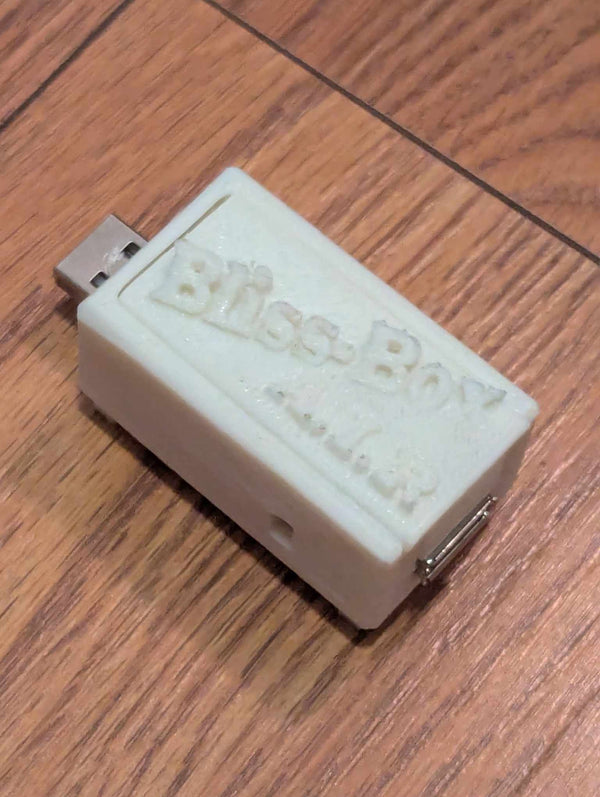
This adapter is an addon to the Bliss-Box It uses the LLAPI signal to communicate. So it extends all the power of the adapters to other consoles. There are two main types of code.

1)
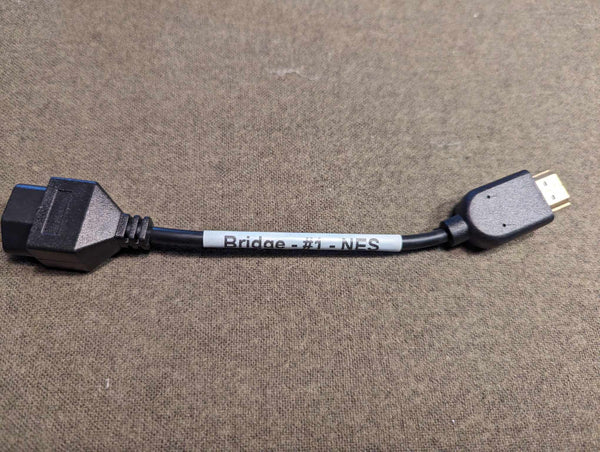
The Console code, allowing just about any output console type via the HDMI to console cables.
Image
The white band indicates it’s an output cable. There are many options and more on the way.

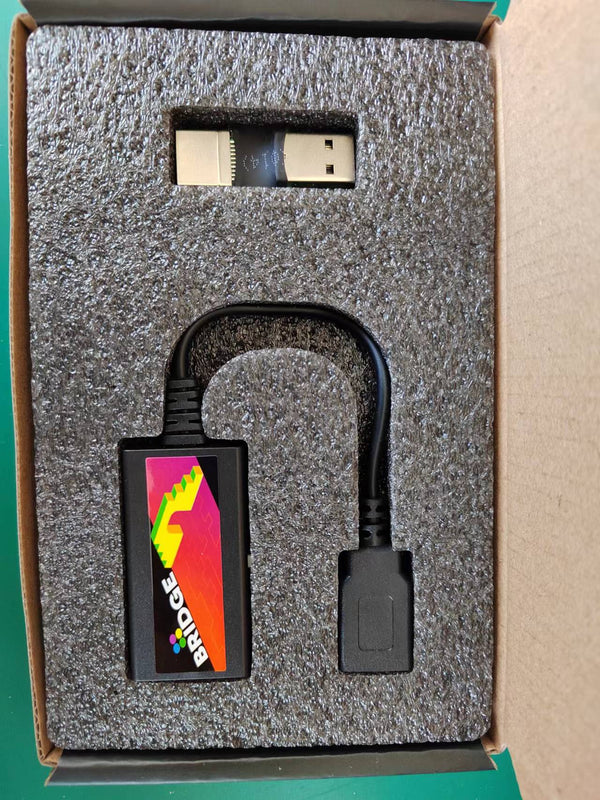
2) The usb cables.
Image
The dongle in the top of this image allow the Bridge to plug in to USB. In program mode ( pressing the button) you can flash te firmware otherwise it runs the USB code that was flashed. Ps3, xbox, PC, android, Xinput, etc.

So that is the setup, but now let’s see what it can do..,

first there a few option you will find when flashing.
Image
They are just for the case where you want to do this, not needed.

There is a built in detection system so it know what controller you are using, and what consoles its plugged in to. This firmware remaps so a layout matching schema. There are also alt mappings and button swapping modes, along with turbo features you can use. For the most part you do not need to worry about mapping stuff. If you had to remap, the Bliss-Box supports both a global remap, and per controller remapper. One way or the other you can get the job done.

the 4 to 6 button mapping is like so.
Image

The Bridge also will emulating analogs and mice, so you can use tablets like the wiiu draw on things like Mario paint, Atari paddles on arkanoid, nes controller on the tg16, and it even support that XE-1 on the sega, just plug in an analog controller. Racing wheels are supported, negCon works, and even the wii motion controller will work on the ps3.

Lot more to read about on here
https://bliss-box.com/pages/manual_bridge
and
https://bliss-box.com/products/bridge
Image


so "Awesome Controller Adapters" you say? Well, fasten your seat belt...
A.I.R
Image

Pretty much, this little adapter will turn anything in to wireless. Ok so its not really wireless, but if you bind up the cables, it will do the same thing. It detects the inputs and outputs of LLAPI, wireless, and USB. Here is a visual

Image

Yes works on all the products as all Bliss-Box products use LLAPI :) And yes it works on the MiSTer too.


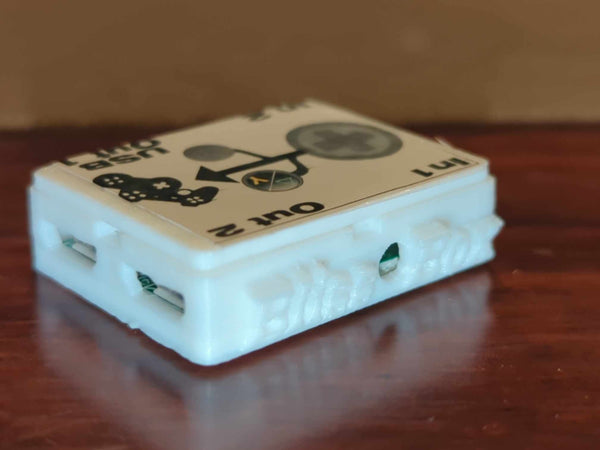
Another Awesome adapter and very cheap I might add, is the Blender. Now this device is LLAPi dependent, so it’s no good unless you have that ability. Remember LLAPI is open and free to use make and abuse, so it could work with their devices. This adapter lets you, combine, split, mix, flip, twist, inverts, and jumble up 2 controllers in to 1, 1 in to 2, or 1 to 1. It has 2 inputs and 2 out.
Image
This one has an interface where you select and route all the mappings.
Image

You can see all of these adapters in use here
https://www.youtube.com/channel/UCG5PQp ... AOcBIs0fg/
Post Reply