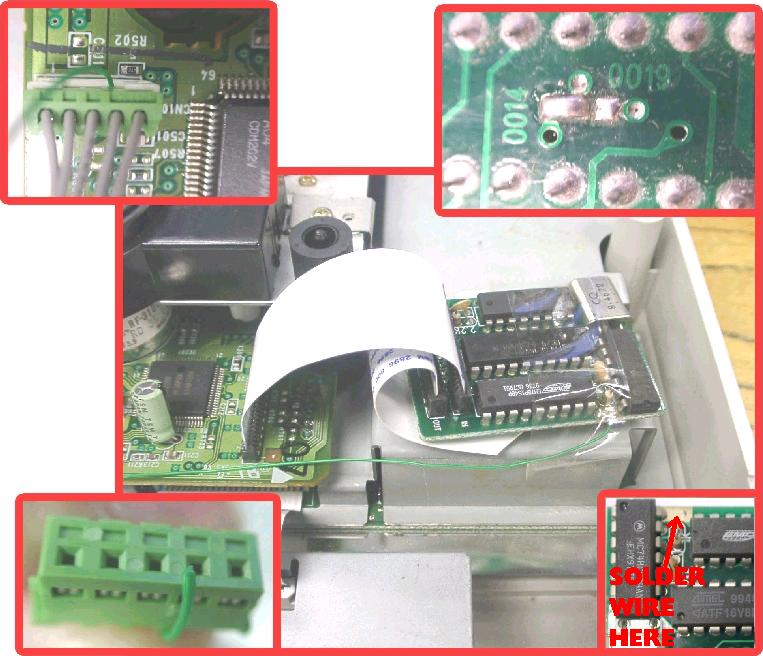
sd_dracula wrote:I am experiencing this: the machine boots up and the cubes are deformed in the CD player, which means the drive is not connected or not powered. Perhaps the power cable connecting the motherboard to the CD board is busted?
No, it's probably those busted traces. The thicker traces are always gonna be voltage or ground, that's why they're thicker/fatter. Being that there's two thick traces right next to each other and they're not connected, they're probably one of each.
Repairing them should be relatively easy. I can think of two ways to go about repairing them, one might be easier to some while the other will be easier to others.
One, you can solder a jumper wires between vias. You have to scratch up the protective cover on them first. Use an X-acto knife or a small flat head. Use a medium gauge wire, nothing too thin. Maybe some where around 20AWG, no smaller. I illustrated your picture so you can get the idea:
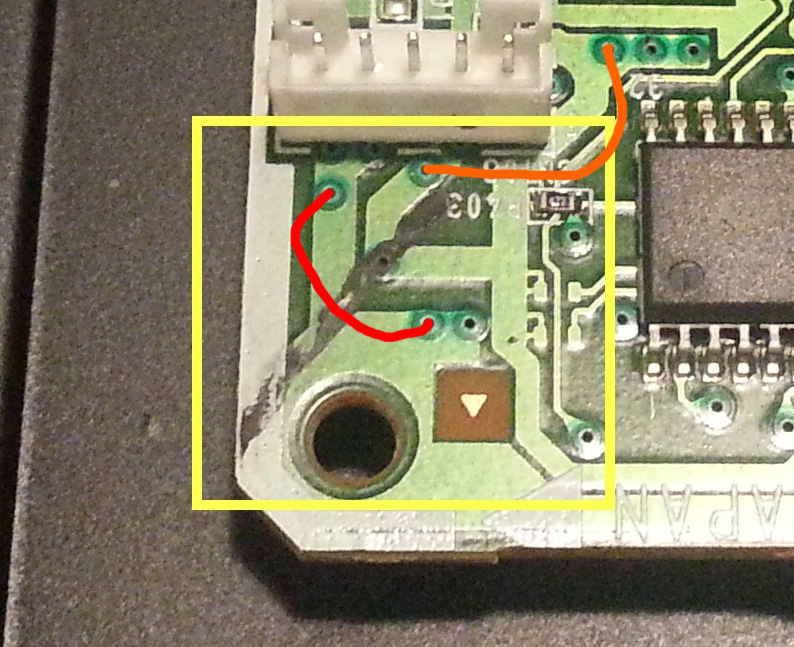
- jumper wire.jpg (226.48 KiB) Viewed 1968 times
The red line would be one wire, the orange line would be the other wire.
Two, expose the copper in the traces and make a solder bridge between them. This one you might find easier to do. Just scratch the traces up, you wanna remove the protective layer and expose the copper. Be careful not to damage the trace. Expose enough of the copper to give the solder a good amount to cling to. Flux it, then go to town with solder. Another illustration so you can get the idea:
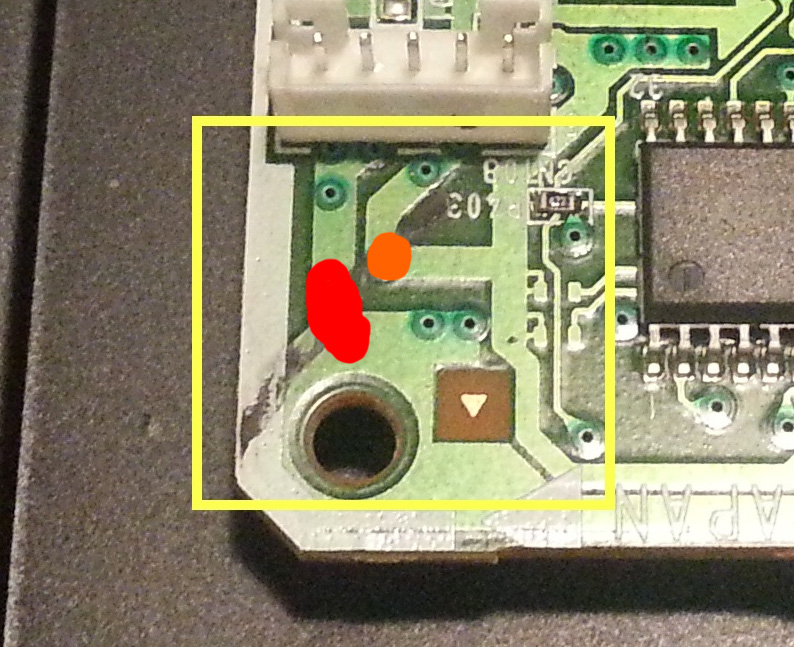
- solder bridge.jpg (222.69 KiB) Viewed 1968 times
The red being one blob of solder, the orange being another.
You might find it hard to create a solder bridge between them, you could put a piece of stripped wire in there to make the bridge easier. Just be sure not to bridge one trace to the other (the wrong one). I would first scratch and solder one, tape it off, then do the second trace to avoid creating a bridge between them.