I wouldn't go the Datasette route, many PAL games will either have glitches or refuse to work entirely on an NTSC system. The load times are also horrible, even compared to the slow 1541. I see you already have a 1541 so I'd suggest building or buying a cable that will allow you to hook up a Commodore disk drive to your PC. That way you can download disk images and copy them onto actual floppies.
If you're looking to spend a little, I'd go one step better and get a SD2IEC so you can load disk images from an SD card. The best option would be the 1541 Ultimate II but those are fairly expensive. The upshot with that however is that it's entirely 1541-compatible and you can also run cartridge ROMs with it.
Own: 2600, 2DS, 2DS XL, 360 S, 5200, 7800, 800, 800XL, AES, Amiga 600, C64, C64C, CV, DC, Duo-R, GB, GBA, GBA SP, GBC, GBP, Genesis 2, GG, JP SMS, Lynx, Mark III, Mega CD II, MD, MSX2+, N64, NES, NES top loader, Nomad, PCE, PSX, PS2, RetroUSB AVS, SAT, SFC, SG-1000 II, SMS, SNES mini, Switch, TE, Twin Fami, VIC-20, Wii, XEGS
ApolloBoy wrote:I wouldn't go the Datasette route, many PAL games will either have glitches or refuse to work entirely on an NTSC system. The load times are also horrible, even compared to the slow 1541. I see you already have a 1541 so I'd suggest building or buying a cable that will allow you to hook up a Commodore disk drive to your PC. That way you can download disk images and copy them onto actual floppies.
If you're looking to spend a little, I'd go one step better and get a SD2IEC so you can load disk images from an SD card. The best option would be the 1541 Ultimate II but those are fairly expensive. The upshot with that however is that it's entirely 1541-compatible and you can also run cartridge ROMs with it.
Worse than the 1541? Wow. I don't think I've EVER seen a load times longer than the 1541. I'd literally go make a sandwich and come back and wait a few more moments while some games were loading.
I've personally never owned the Data-Cassette reader. I only used the 1541 and rarely even used the cartridge slot.
But man do I miss my old C64. It got the black screen of death. And when I went to go buy another one, I saw that the prices for them have shot up to ridiculously high amounts.
I cant talk for the compatability, but to run games from the datasette you just type 'LOAD'. Then it'll tell you to press play on the tape, and after it loads that and says it's ready you type RUN to play the game.
I still need to pick up a datsette for my C64 too, or else fix the one I have. They're harder to find than I'd expect for such a popular machine.
RyaNtheSlayA wrote:Not sure about launching from Datasette, doubt it would load with Load *,8,1?
The 8 in that command specifies the first disk drive. Device numbers are 1 for the Datasette, 4 & 5 for printers, 6 & 7 for plotters, and 8 and up for disk drives.
BoneSnapDeez wrote:I really wish there were more cartridges for the C64.
A great "Game Console" that can plug into a regular TV. A simple SVideo adapter cable can be utilized as well for a better picture. There are actually quite a few carts for it. Anything Commodore related, I can help, own a few listed in my signature link.
alienjesus wrote:I cant talk for the compatability, but to run games from the datasette you just type 'LOAD'. Then it'll tell you to press play on the tape, and after it loads that and says it's ready you type RUN to play the game.
I still need to pick up a datsette for my C64 too, or else fix the one I have. They're harder to find than I'd expect for such a popular machine.
Easier to press SHIFT RUNSTOP for the cassette load run. The datasette does take a long time to load. There is a speed up cart called Rabbit, but the files have to be saved "Rabbitized".
That 1541 Floppy Drive in the OP looks to have a switch mod in the front. Probably an eight to nine address switch, needed if you have two floppy drives. Though one of the slowest drives, its the most intelligent with its own processor. I posted a link a while back of a 1541 floppy drive "singing" the song Daisy using just the stepper motor.
Load Basic programs off Floppy Drive: LOAD"*",8
Machine Language programs Floppy Drive: LOAD"*",8,1
You can also list a disk directory: LOAD"$",8
For multiple file floppy disks. The C64 can cursor up above the prompt! Cursor up the listing and add a LOAD at the beginning line of which program you want to load followed by the ,8,1 at the end. Instead of pressing RETURN hit SHIFT RUNSTOP for a load autorun. This defaults to the floppy if on the same line as the ,8 command. Now if you have a SX64 transportable, the default floppy is automatic.
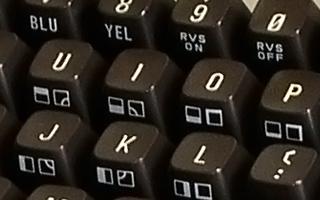
Most Commodore Commands can be shorthand. For example LOAD can be shortened to L and SHIFT O. The shifted characters will display as Commodore graphic symbols listed on the keyboard.
Get a FASTLOAD Cart, it really loads most floppy disk games a lot faster. To load Floppys with the cart, simply press the Commodore (C=) Key and RUNSTOP in the lower left.
I actually have an Epyx FastLoad! Took me a while to get it working - at first I thought it was a game! (with a name like "fast load" I figured it was skeet shooting or something).
I actually have an Epyx FastLoad! Took me a while to get it working - at first I thought it was a game! (with a name like "fast load" I figured it was skeet shooting or something).
Anytime. The FASTLOAD cart is pretty handy. Hit $ then RETURN for a floppy disk directory. Then you can try the cursor up load routine for a particular program.