Post Computer Tower Pics!

Re: Post Computer Tower Pics!
If only I had a camera worth a damn I would contribute to this thread more than this useless post.
BananaXX's FS/FT Shop!!! +27 feedback and growing!!
-
arnold_the_bartender

- 64-bit
- Posts: 497
- Joined: Sun Nov 14, 2010 1:53 am
- Location: San Jose, CA

Re: Post Computer Tower Pics!
What is with the cables inside, or is that on the window?Fragems wrote:
Case: Cooler Master HAF 932 AMD Edition


-
arnold_the_bartender
- 64-bit
- Posts: 497
- Joined: Sun Nov 14, 2010 1:53 am
- Location: San Jose, CA
Re: Post Computer Tower Pics!
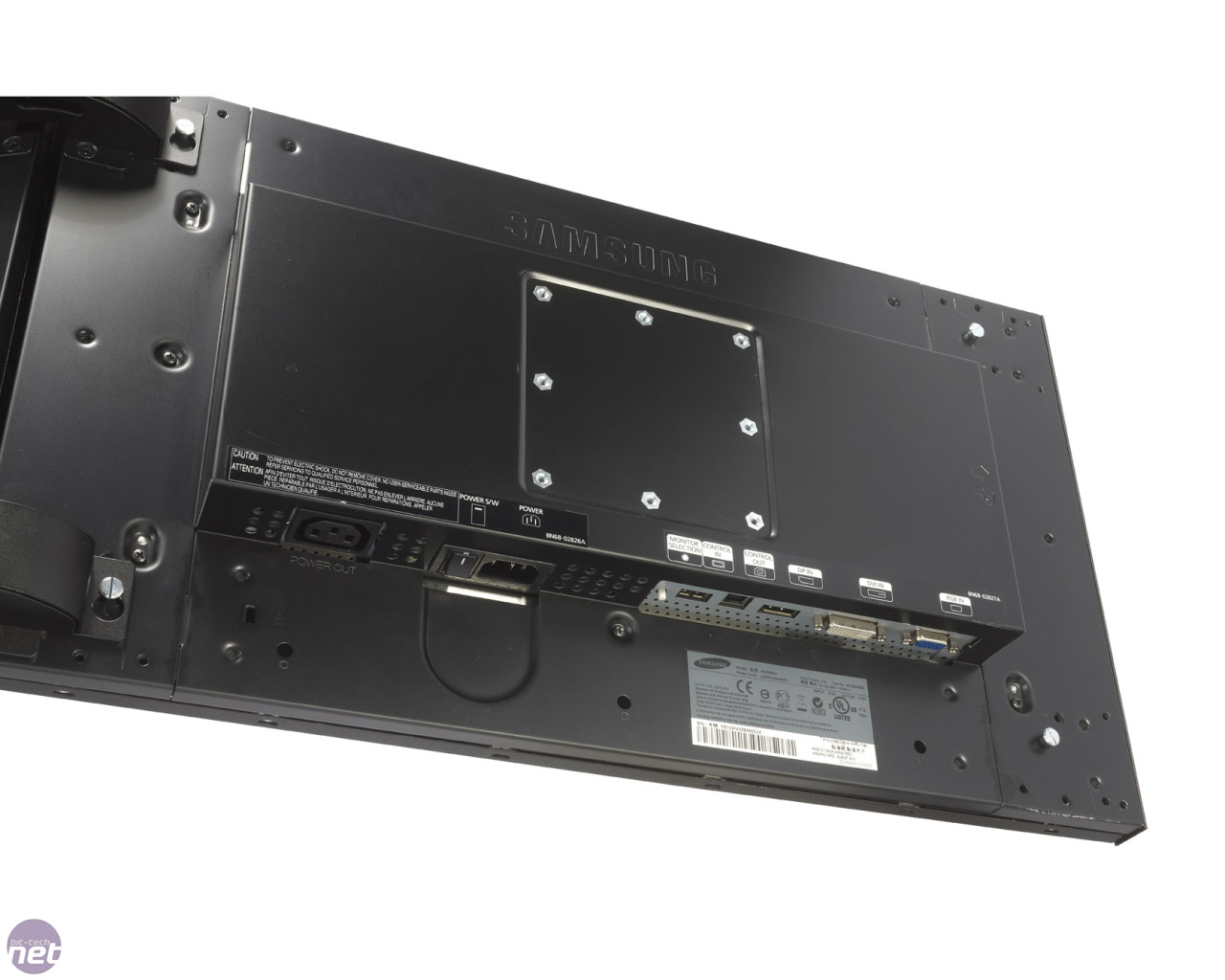
It's the MD230X6 from Samsung. Samsung also has the MD230X3 and sells the standard MD230. AFAIK, it has Samsung smallest of bezels. It's an out-of-the-box solution so it came with all 6 monitors, the stand, accessories (including a shitload of AC and DP cables), mounting equipment, etc. Each monitor has VGA, DVI, and DP. The dang thing weighs a little over 90 pounds. Right now I'm just using the bottom 3 until I get a 7970. I originally bought one for my build but it was DOA and ASUS upgraded me to the GTX 680 since they said they were out of 7970s. Great for racing games, RTSs, flight sims, and general PC use but obviously a problem for FPSs. When I get the 7970 I might continue using the bottom 3 for certain games or just remount the monitors in 5x1 portrait. I'll have an extra monitor floating around but oh well. That's the good thing about these monitors. I won't be stuck in either orientation.Hazerd wrote:Would love to see the back of those, and what brand are they?
If I remember, I'll take a pic of the back. For now, here is an image I grabbed from google:
http://images.bit-tech.net/content_imag ... X3-l-3.jpg
Very industrial design. One of the accessory boxes included magnetic stripes to put on the sides of the left and right monitors to make it look more... home-y, for a lack of a better term.

Re: Post Computer Tower Pics!

I think I win the title for worst cable management


CPU: i7 2600
RAM: 8gb (generic brand) < Will be updating soon to 16gb of a known brand
GPU: Asus GTX560
HDD's: Western Digital 1tb, Western Digital 2tb
OS: Windows 8 64 bit
Case: Cooler Master Centurion 5II < Pretty fugly, but it does it's job.
Misc: Wireless card, 5.1 surround sound card
I built all this about a year ago when I was doing my diploma. It's mostly used for HD video editing, 3ds Max/Vray, Photoshop work and gaming.
The monitors could be replaced, but they're fine for the time being.
Retro Game On's YouTube Channel << Featuring reviews, features and repair videos.