3.5mm cable questions

Need help with your PC or Modding Projects?
Post Reply
User avatar
nickfil
Next-Gen
Posts: 1708
Joined: Tue Jun 03, 2008 11:36 am
Location: philadephia

3.5mm cable questions

Post by nickfil »

you know- its that microphone cable in the back of your computer, or the ipod plug for your headphones.

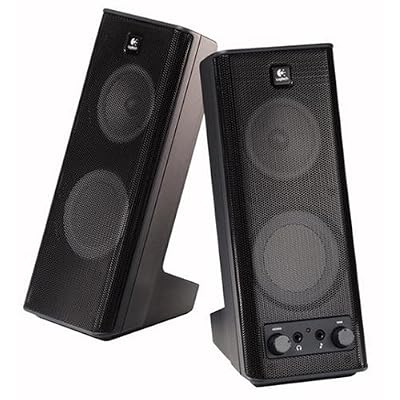
now- i am running the same computer speakers for my computer(DVI), sega dremcast(VGA), and xbox(VGA). I was looking for a solution for plugging everything into one that wouldn't cost me a crazy amount of money.

So i picked up this plug that has 3 female and 1 male side. Picked up a F/F adapter and started to plug in all my gear. It made everything really really quiet. My computer isn't so bad, and my xbox is tolerable, but my dreamcast is nothing but a whisper even when i crank up the speakers to the max.

It looks like this, only a radioshack brand.
Image

Do i have a faulty cable? Am i getting the normal result? Is there a better way?
Niode
Next-Gen
Posts: 7831
Joined: Wed Jan 04, 2006 2:34 pm
Location: UK

Re: 3.5mm cable questions

Post by Niode »

It's most likely because you aren't balancing your cables properly. You are taking three outputs and forcing them through one cable. For a start none of the impedance will match so you would see zero signal at the end of the cable. You would need to get an amplifier to drive multiple inputs to some speakers. Without an amplifier those signals will be literally useless, let alone have a ton of hiss because you are increasing the gain on each channel far beyond what it is supposed to handle.

The cheapy cheap option would to build/buy a 3 or 4 channel switch that will bank switch each input to the output. This can cause problems if it's not adequately shielded (aka buzz from your screen/consoles) and won't allow you any gain cut/boost. It would work but not very well.

To do this without spending too much you need to either get a multiple input DI (direct injection) box. Behringer do very cheap and nasty ones but they might be ok for your standards. The DI will perform impedance matching on your channels and output a usable balance signal. (which is what your speakers are expecting) However this will only provide you with mono sound.

A more expensive option is to get a decent 4 channel soundcard (USB will do, like the one that M-audio does) you would need to use a separate program under windows (or be able to do it natively through audio/midi devices if you use a Mac) and then putting the outputs from the consoles into the soundcard and then routing them through to the speakers.

The other more expensive option is getting a cheap 4 channel mixer with separate gains. That will let you have all three channels functioning at once and you can alter the mix (hence mixing desk) of all the channels to your monitors (AKA speakers) without the need for your computer to even be on.

If you wanna spend megabucks, then you could go for a decent receiver like a Yamaha or Denon, even a Marantz if you can afford it. This will allow you to route all those inputs into your speakers. That might be over kill because I think you might be using some shitty PC speakers but it would definitely work and it would lead you onto the right path in future if you want to increase the quality of your audio experience.

Remember these two phrases when dealing with audio equipment.

Shit in shit out. (basically means if you have a shitty source/cables then you are going to get shitty sound out the other end)
You get what you pay for. (fairly self explanatory, applies to the first phrase.)
Marurun wrote:Don’t mind-shart your pants, guys
User avatar
nickfil
Next-Gen
Posts: 1708
Joined: Tue Jun 03, 2008 11:36 am
Location: philadephia

Re: 3.5mm cable questions

Post by nickfil »

Niode wrote:To do this without spending too much you need to either get a multiple input DI (direct injection) box. Behringer do very cheap and nasty ones but they might be ok for your standards. The DI will perform impedance matching on your channels and output a usable balance signal. (which is what your speakers are expecting) However this will only provide you with mono sound.
I think this is what i'm going to go with. Its the cheapest without actually having to build something. You were right to assume that i have some shitty cheap computer speakers.

Although i would like to spend a little more and get some quality sound, it is one of those things where i upgrade one thing and then a second thing and then a third. Its a package deal. Sometime in the next year or two I think i'll probably work something like that out, but for now i just need a quick fix. Holliday games are right around the corner and i would like to pick up those instead of sound stuff. Next slow gaming season.

Thanks for the super comprehensive response, and the UG invite a few weeks ago. I am really enjoying the site.
User avatar
nickfil
Next-Gen
Posts: 1708
Joined: Tue Jun 03, 2008 11:36 am
Location: philadephia

Re: 3.5mm cable questions

Post by nickfil »

So i started to look at a few of them. Not exactly sure of what it is... Just so i'm perfectly clear on what I'm getting, how it works, and that i'm plugging it in right... correct me if i'm wrong with this.

these guys:
ImageImageImage

plug into this guy:
Image

which plugs into this guy:
Image

which balances the signal for this guy:
Image
Niode
Next-Gen
Posts: 7831
Joined: Wed Jan 04, 2006 2:34 pm
Location: UK

Re: 3.5mm cable questions

Post by Niode »

Not quite. The DI will only perform impedance matching on unbalanced jacks. All it does is change an unbalanced line level input to a balanced output. This naturally increases the signal strength.

Now the fact that you are basically taking 6 channels and forcing them into two is what is causing you problems. It's simply not possible to do this without having signal loss. What you really need is something like this:
http://www.cybermarket.co.uk/shopscr5753.html

I'm sure you could get something cheaper than that though.

Since I think you are just using one monitor then you wouldn't need to use all three channels at once.

However if you really need to have all three channels working at once then I suggest getting one of these:
http://www.studiospares.com/Mixers-Anal ... nvt/380070

That's dirt cheap and would probably sound like shit in a decent rig, but for your needs it would be fine.

(btw i'm a studio engineer so that's why I know all about this stuff. I solve routing issues all day long.)
Marurun wrote:Don’t mind-shart your pants, guys
User avatar
nickfil
Next-Gen
Posts: 1708
Joined: Tue Jun 03, 2008 11:36 am
Location: philadephia

Re: 3.5mm cable questions

Post by nickfil »

thanks. I'm a new to this whole sound design thing.
User avatar
ott0bot
Next-Gen
Posts: 2039
Joined: Mon Nov 05, 2007 4:59 pm
Location: Phoenix
Contact:

Re: 3.5mm cable questions

Post by ott0bot »

Just checking, but are you using the mic in on your computer or an actual 3.5 stereo in? The mic in is only mono and is very quiet. You have to change your audio input in you computer to mic and adjust the gain to hear it. That is not a good way to run audio, you'll get alot of hiss. If it's a real 3.5 stereo jack you're ok. If you don't have one, you can buy and iMic rca to usb converter that is around 30 bucks and works great. I use it to convert records or tapes to my computer when I don't want to use my m-box.

Niode is dead on about the options and the note about quality is what you pay for. Matching impedence is important in getting a quality signal that is of sufficient volume. The one thing I'd mention is if you go to a mixer you'll have to buy a rca to 1/4" adapter so that your Dreamcast, 360 and whatever else you use can be hooked into the mixer. Each system will have two signals, a left and a right which will take up one channel each on your mixer. So a small 4-channel mixer will only accomodate 2 systems.
Just something to keep in mind.

I'm thinking you don't need to put all of them into the computer at once so a switch box should be sufficient. Something like THIS would probably get the job done. Or a higher end one like he suggested would work great.

If you plan on doing most of your gaming on a pc or routing your systems into a computer, I would probably bite the bullet and buy a good sound card that has a sp/dif (digital input) and a good reciver you can plug everything into, regulate to volume and send to the computer via sp/dif.

The way have my game systems hooked up is to a/v switch boxed with 2 audio outs. I send the rca's to my tv and the 3.5 to my reciever, which I can then run into my computer. It works pretty good and quality is great. There is a little bit of hiss, but it's barely audible and unless you doing professional applications it works just fine.
Last edited by ott0bot on Thu Sep 04, 2008 7:25 pm, edited 2 times in total.
Niode
Next-Gen
Posts: 7831
Joined: Wed Jan 04, 2006 2:34 pm
Location: UK

Re: 3.5mm cable questions

Post by Niode »

Oh yes, good point. I forgot about the stereo. You would need a 6 channel mixer in that case.

I still think the cheapest option is a 6 channel mono/3 channel stereo switch.

SP/DIF would be fine but you do need a decoder. AFAIK there is no software decoder available as a 3rd party software. You would need the hardware to be on the soundcard. You MUST make sure it has the ability to decode the signal. It's not as simple as just checking that the soundcard has the input. I've seen many many people just try plugging an SPDIF or a TOSLINK into a soundcard and expect it to work. It simple does not work like that. The soundcard must have the decoder. Otherwise all you get is white noise.

Just had another look and found this with stereo RCA inputs.
http://www.studiospares.com/Mixers-Anal ... nvt/325080.

It's a little expensive but it would definitely work and those analogue mixers tend to last forever. Plus they're a piece of cake to repair if anything did go wrong with it :D. They're usually built to last anyway. £40 is a pittance for a mixer.

That would be perfect for your usage. Plus if you decide to get some decent speakers and an amp you would be set for a nice little setup
Marurun wrote:Don’t mind-shart your pants, guys
User avatar
ott0bot
Next-Gen
Posts: 2039
Joined: Mon Nov 05, 2007 4:59 pm
Location: Phoenix
Contact:

Re: 3.5mm cable questions

Post by ott0bot »

Niode wrote: SP/DIF would be fine but you do need a decoder. AFAIK there is no software decoder available as a 3rd party software. You would need the hardware to be on the soundcard. You MUST make sure it has the ability to decode the signal. It's not as simple as just checking that the soundcard has the input. I've seen many many people just try plugging an SPDIF or a TOSLINK into a soundcard and expect it to work. It simple does not work like that. The soundcard must have the decoder. Otherwise all you get is white noise.
Ohh...ok. I guess the pc's I have used have a sound card with a decoder. I haven't installed a new soud card into an a existing unit myself. But all the ones I looked at said they were anolog to digital convertors...so I just figured that meant they would work for that purpose.
Post Reply