If you ask me the transition has been a fairly quick and painless one. Consoles that came out in 2005 and 2006 were catered to widescreens, movies have been available in widescreen for some time, and widescreen computer monitors have been available for quite a while too. (I think I had a widescreen monitor in 2003, I'll have to check on that)
Though, I'm really annoyed how computer monitors are moving to 16:9 from 16:10. I value my vertical real estate.
It wouldn't be such a problem if current OS's and websites were more tailored to the widescreen format. I hate when I go to a website and there's tons of horizontal space not used.
Like this one for instance. I have a good 4 inches on either side of the actual content here. Though I guess it has to be that way for the few people that still use 4:3 screens.
Widescreen Monitor vs 4:3 - The Transition
-
RyaNtheSlayA
- Next-Gen
- Posts: 9201
- Joined: Fri Mar 14, 2008 4:56 pm
- Location: Denver CO, USA
Re: Widescreen Monitor vs 4:3 - The Transition
Older. Not wiser.
Re: Widescreen Monitor vs 4:3 - The Transition
The enhancements have been little to none as far as I'm concerned as most movies still get them stupid black bars on top and bottom of the film and then all the old stuff doesn't support widescreen.
I could have done without this whole period of transition to be honest
I could have done without this whole period of transition to be honest

Re: Widescreen Monitor vs 4:3 - The Transition
Look for Anamorphic movies. Even on my HD 4:3 CRT, the anamorphic widescreen movie will stretch filling every corner of the screen. Sure the actors look thinner, but it beats the black bars.msimplay wrote:The enhancements have been little to none as far as I'm concerned as most movies still get them stupid black bars on top and bottom of the film and then all the old stuff doesn't support widescreen.
I could have done without this whole period of transition to be honest
CRT vs LCD - Hardware Mods - HDAdvance - Custom Controllers - Game Storage - Wii Gamecube and other Guides:
CRTGAMER Guides in Board Guides Index: http://www.racketboy.com/forum/viewtopi ... 5#p1109425
-
AppleQueso
Re: Widescreen Monitor vs 4:3 - The Transition
oh god ew ew ew ew ew ew ewwwwwwwwwwwwwwwwwwwwwCRTGAMER wrote:Look for Anamorphic movies. Even on my HD 4:3 CRT, the anamorphic widescreen movie will stretch filling every corner of the screen. Sure the actors look thinner, but it beats the black bars.msimplay wrote:The enhancements have been little to none as far as I'm concerned as most movies still get them stupid black bars on top and bottom of the film and then all the old stuff doesn't support widescreen.
I could have done without this whole period of transition to be honest
Stretching the image?
ewwwwwwwwwwwwwwwwwwwwwwwwwwwwwwwwwwwwwwwwwwwwwwww
Black Bars >>>>>> stretching every single time

Re: Widescreen Monitor vs 4:3 - The Transition
This better be a joke.CRTGAMER wrote:Look for Anamorphic movies. Even on my HD 4:3 CRT, the anamorphic widescreen movie will stretch filling every corner of the screen. Sure the actors look thinner, but it beats the black bars.msimplay wrote:The enhancements have been little to none as far as I'm concerned as most movies still get them stupid black bars on top and bottom of the film and then all the old stuff doesn't support widescreen.
I could have done without this whole period of transition to be honest
Re: Widescreen Monitor vs 4:3 - The Transition
NO. I stayed the 4:3 route since I'm into Retro gaming, the majority which is in 4:3. A compromise when watching movies, I do prefer the slightly stretch vertical to get the max pic.Inazuma wrote:This better be a joke.CRTGAMER wrote:Look for Anamorphic movies. Even on my HD 4:3 CRT, the anamorphic widescreen movie will stretch filling every corner of the screen. Sure the actors look thinner, but it beats the black bars.msimplay wrote:The enhancements have been little to none as far as I'm concerned as most movies still get them stupid black bars on top and bottom of the film and then all the old stuff doesn't support widescreen.
I could have done without this whole period of transition to be honest
The point I am making is when getting a DVD, be sure it is ANAMORPHIC. On widescreen HDs you can then enjoy the movie without the black bars.
See the mini guide with pics at my CRT vs LCD signature link for a better idea.
CRT vs LCD - Hardware Mods - HDAdvance - Custom Controllers - Game Storage - Wii Gamecube and other Guides:
CRTGAMER Guides in Board Guides Index: http://www.racketboy.com/forum/viewtopi ... 5#p1109425
-
AppleQueso
Re: Widescreen Monitor vs 4:3 - The Transition
Anamorphic widescreen on dvds should always be the way to go, sure, but stretching the image is just nasty.
To me, stretching a movie vertically is just as bad as stretching a game horizontally.
BTW, many movies still have black bars on 16:9 tvs. The 2.35:1 aspect ratio that a LOT of movies use is a wider ratio than 16:9.
To me, stretching a movie vertically is just as bad as stretching a game horizontally.
BTW, many movies still have black bars on 16:9 tvs. The 2.35:1 aspect ratio that a LOT of movies use is a wider ratio than 16:9.
Re: Widescreen Monitor vs 4:3 - The Transition
This is true. I have two Anamorphic movies for examples, they are processed differently.AppleQueso wrote:Anamorphic widescreen on dvds should always be the way to go, sure, but stretching the image is just nasty.
To me, stretching a movie vertically is just as bad as stretching a game horizontally.
BTW, many movies still have black bars on 16:9 tvs. The 2.35:1 aspect ratio that a LOT of movies use is a wider ratio than 16:9.
The Thing Collectors Edition
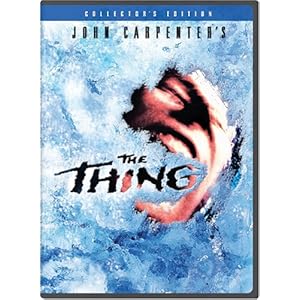
Anamorphic with some screen stretch from a 2.35:1 image, but still has black bars. Some of the extra footage on the disc is not anamorphic so the black band on top and bottom are a lot bigger.
Avatar Three Disc Collector's Edition

Anamorphic 1.78:1 stretch done right. Every corner of the screen is filled in with a clear pic. This is different from a digital zoom, ever pixel of the image is at the max resolution of the DVD.
Anamorphic Screen Stretch
This is each individuals preference. My 4:3 HD, my choice. I like the idea of using ALL the screen for the pic without cutting off the edges from either zooming or pan and scan. As mentioned earlier, the decision of HD selection was based on the majority of my gaming is in 4:3.
Look at the image below
The top two images represent a 4:3 HD, I prefer the stretched image on the right for a FULL pic. The left pic has black bars wich is the correct ratio, but at the cost of a smaller pic.
The bottom two images represent a widescreen HD. Obviously an Anamorphic will give the best image on the right.
Keep in mind the bottom images are for a LARGER Widescreen HD compared to the 4:3 HD at the top.

A further read is at my CRT vs LCD signature link.
CRT vs LCD - Hardware Mods - HDAdvance - Custom Controllers - Game Storage - Wii Gamecube and other Guides:
CRTGAMER Guides in Board Guides Index: http://www.racketboy.com/forum/viewtopi ... 5#p1109425
Re: Widescreen Monitor vs 4:3 - The Transition
It doesn't just apply to movies though it also applies to old games case and point being Marvel Vs Capcom 2 the XBLA and PSN game and of course probably all of the Virtual Console games.CRTGAMER wrote:Look for Anamorphic movies. Even on my HD 4:3 CRT, the anamorphic widescreen movie will stretch filling every corner of the screen. Sure the actors look thinner, but it beats the black bars.msimplay wrote:The enhancements have been little to none as far as I'm concerned as most movies still get them stupid black bars on top and bottom of the film and then all the old stuff doesn't support widescreen.
I could have done without this whole period of transition to be honest
My monitor is 16:10 Widescreen and I prefer the stretch to black bars too it looks blurred and ugly at first and true widescreen support would be better but what can ya do you can't have your cake and be allowed to eat it too
 .
.My bedroom tv where I play my retro games is 4.3 I still don't win though because some of the Wii stuff that supports Widescreen doesn't support 4.3 aspect ratio so whatever happens I will suffer black bars.
Case and point being again I could have done without this whole transitional period

-
kiteJargon

- 16-bit
- Posts: 99
- Joined: Mon Aug 09, 2010 12:05 pm
- Location: Vancouver, BC
Re: Widescreen Monitor vs 4:3 - The Transition
I ABSOLUTELY can't stand a stretched image. I have a widescreen TV but still an old 4:3 LCD computer monitor. I love having the widescreen because I can't still play stuff in 4:3 that was meant to be played that way. I can't say that I love black bars but I would much rather have a proper ratio.
I guess it's just one of those personal things where everyone has their own viewpoint. For myself, stretched images bother me almost as much as audio being out of sync. In both cases, be it watching a movie or playing a game I actually can't even force myself to sit there for more than a couple minutes without going nuts. Though keep in mind I'm kind of weird.
I guess it's just one of those personal things where everyone has their own viewpoint. For myself, stretched images bother me almost as much as audio being out of sync. In both cases, be it watching a movie or playing a game I actually can't even force myself to sit there for more than a couple minutes without going nuts. Though keep in mind I'm kind of weird.
Generic signature------- ACTIVATE!
