Very good point, the back of the cabinet could be a limiting factor as well. LCD an easier fit, but for me a CRT, personal preference for the Arcade Pic quality.Limewater wrote:If I had to guess, I'd bet that the limiting factor on fitting a larger monitor in there will be depth. I mean, your tag is "CRTGAMER", so I'm sure you know all about that, but I just wanted to mention it. The cabinet doesn't look too deep, and I bet that's the real reason for the small monitor in there in the first place.CRTGAMER wrote:You can go with a bigger monitor, as "fastbilly1" points out check for clearance. The facing does seem it could easily fit a 19".
But I could be completely off-base.
The pic on my previous reply is one example if you are going to hookup a PC for a start of total conversion "Mame" setup. But it would use the original Arcade monitor.swirlee wrote:CRTGAMER -
WOW! thanks for the help. Unfortunately I am a n00b when it comes to JAMMA(heard this acronym for the first time a week ago) and arcade setups, so I think I might need a dumbed down explanation of exactly how this converter works.
What connects to what? I see a VGA cable, but the image says that connects to a motherboard? I would expect the VGA cable to connect to a monitor, no? And what is the parallel port for? All a bit confusing.
You also said "There are other boards for monitor conversion only." What is this board for, if its not for monitor conversion? If VGA isn't the standard way an arcade board connects to its monitor, then what is?
And when you are talking about LCDs are you talking about PC LCDs or the application specific ones sold on Happ?
THANKS!
Jamma Connector has all the game controls and video on one connector.


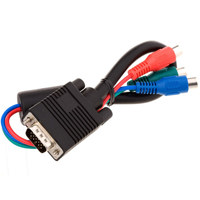
For Video look at pins 12, 13, 14, N and P.
To keep the original Neo Geo Arcade board intact, there are boards to go the other direction Jamma to VGA monitor.
"swirlee", take a look at my signature link. I did a comparison of LCD vs CRT and video input quality. Hope it is of help in deciding on your monitor choice.