
I own a Universal Controller Adapter by a company called Game Elements. This very cool adapter converts Playstation 2 DuelShock, arcade stick or even PS1 controllers (including racing wheels) to work on Xbox, GameCube or Wii.

Today I just randomly got the idea to take it apart to look at its PCB and I was pleasantly surprised to see an unused but fully present USB trace. I got to thinking that it might be possible to add in a USB cord and have this thing work on a PC or even PS3.
I did some googling and came across a thread where someone else has apparently done just that.
http://forum.arcadecontrols.com/index.php?topic=26453.0
I know USB is VCC 5v, GND, + Data and - Data, but my only problem is I'm not really sure where to solder the four wires that will lead to the USB connection.
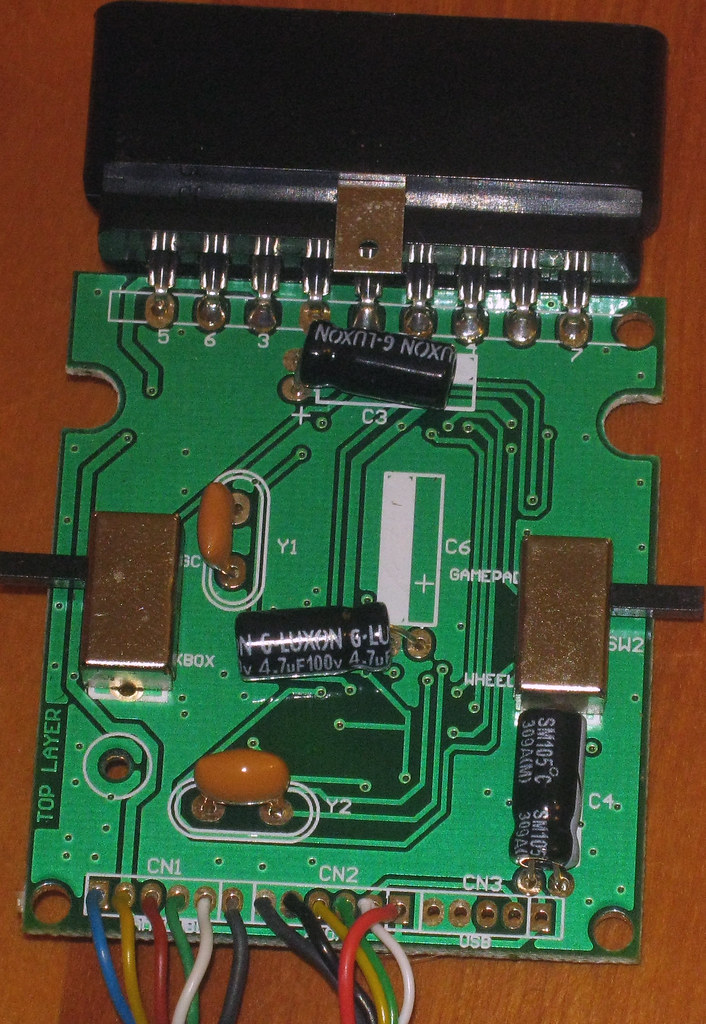
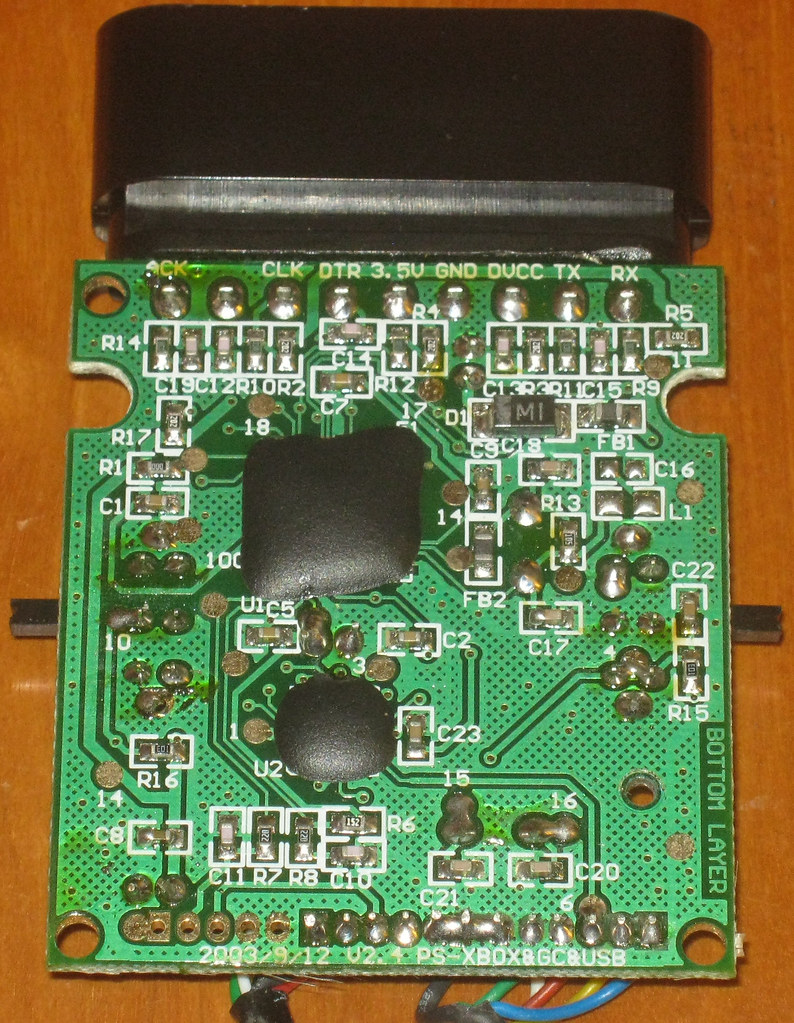
Here are high res images of both sides of the controller adapter pcb.
Top side
Bottom side
I also know the Xbox Controller pinout closely mirrors USB.

This matches up nicely with the colors of the wires on the Xbox side of the adapter being Gray, Black, Yellow, Green, White Red.
I'm not sure why there's a Gray line, but it's bridged by solder with the Black and another connection for GameCube, so I assume that indicates those three traces all must be GND.
Further googling I found this in a tutorial on how to modify an Xbox 1 Controller to be a pure USB controller:

Based on all this, I think I know where to solder the USB cable wires, but I'm a little unsure. This is what I'm thinking:

Can anyone with more experience chime in and offer some help? The last thing I want to is hook up VCC somewhere incorrectly and have the thing die on me.
Thanks.
*edit*
I tested my theory and indeed it was correct. This now works on regular USB!