http://research.microsoft.com/en-us/um/ ... rison.html
Hover over or click the blue labels to compare the different filters for the images. The first 4 or so are common in some emulators, but the 'ours' is some new MS one. Some of the sprites look really amazing with it. Interesting to see all the differences easily compared though.
Sprite Pixel filtering techniques
-
Hobie-wan

- Next-Gen
- Posts: 21705
- Joined: Sat Aug 15, 2009 8:28 pm
- Location: Under a pile of retro stuff in H-town
- Contact:
Sprite Pixel filtering techniques
I've never met a pun I didn't like. - Stark
My trade, sale and services - Rough want list - Shipping weight reference chart - AC Power Adapter reference list
My trade, sale and services - Rough want list - Shipping weight reference chart - AC Power Adapter reference list

Re: Sprite Pixel filtering techniques
Not a fan of any filters in emulators (although I am an OpenGL fan for some dos stuff), but that "our" filter is kind of neat to look at with the blown up sprites.

-
Hobie-wan
- Next-Gen
- Posts: 21705
- Joined: Sat Aug 15, 2009 8:28 pm
- Location: Under a pile of retro stuff in H-town
- Contact:
Re: Sprite Pixel filtering techniques
Yeah, I normally just enlarge the pixels. Some of those are pretty sweet though.
I've never met a pun I didn't like. - Stark
My trade, sale and services - Rough want list - Shipping weight reference chart - AC Power Adapter reference list
My trade, sale and services - Rough want list - Shipping weight reference chart - AC Power Adapter reference list
-
flamepanther

- Next-Gen
- Posts: 1608
- Joined: Sun Sep 26, 2010 12:40 pm
Re: Sprite Pixel filtering techniques
It seems to do really well with the ultra-simple sprites. The old Windows icons and the Space Invaders are beautiful. It sorta falls on its face with really detailed stuff like the Golden Axe sprites, though.
Interesting that they would demonstrate it on Mario sprites that they can never in a million years use it on commercially...
Interesting that they would demonstrate it on Mario sprites that they can never in a million years use it on commercially...

Re: Sprite Pixel filtering techniques
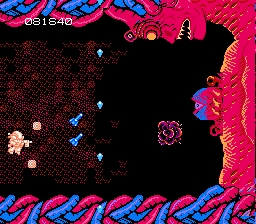
Works better on some than others. Here too you can seem them side by side. I really liked the Secret of Mana filtering, less so the Super Mario World ones (except the simpler dolphin/green mushroom/help cloud ones). I wonder if perhaps it could be combined with specific input allowing it to retain sharp edges (the filtering removes the blockiness of the pixels by rounding it out, but that doesn't work so well on e.g. the Mana Sword or the Invaders).
Re: Sprite Pixel filtering techniques
If it were the 90's I'd be in game design doing this stuff. Damn, too late!

Re: Sprite Pixel filtering techniques
The originals look the best by far, LOVE THEM PIXELS!

-
Hobie-wan
- Next-Gen
- Posts: 21705
- Joined: Sat Aug 15, 2009 8:28 pm
- Location: Under a pile of retro stuff in H-town
- Contact:
Re: Sprite Pixel filtering techniques
Yeah, works better on things with outlines and hard edges. The Ax Battler look terrible. They look like ''My First Airbrush" attempts.
I've never met a pun I didn't like. - Stark
My trade, sale and services - Rough want list - Shipping weight reference chart - AC Power Adapter reference list
My trade, sale and services - Rough want list - Shipping weight reference chart - AC Power Adapter reference list
Re: Sprite Pixel filtering techniques
Yeah, actually, from him on down (on the link I posted) it all looks pretty bad, especially the Microsoft stuff. Granted you got to work with what you got, but the bomb isn't round, and the floppy disc actually looks worse than the simply enlarged one.Hobie-wan wrote:Yeah, works better on things with outlines and hard edges. The Ax Battler look terrible. They look like ''My First Airbrush" attempts.
Re: Sprite Pixel filtering techniques



^^ My Available List ^^
My B/S/T list
I also rent and sell PS2, Wii and XBOX softmod-kits and I collect DVD movies let me know what you have.