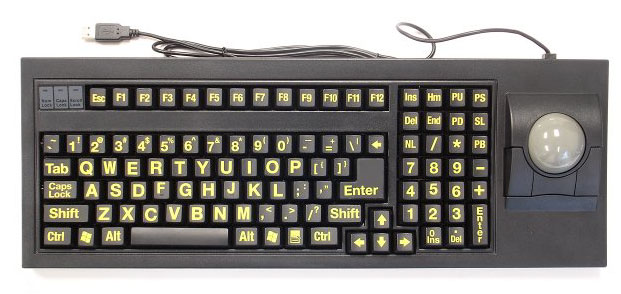
Unfortunately, I have no way to use my favorite trackball anymore. This old beast uses a serial cable for communication and a floppy disk to load drivers.
How can I use this trackball on a modern Mac or PC?


Yup, at work we give these to customers to control a relay box for some door release stuff and it works fine for that so it should be fine for a serial trackball too. Just so you have a starting search point, it is a Tripp-Lite Keyspan model USA-19HS.ApolloBoy wrote:A serial to USB adapter should do it.
Love Trakballs! I have both the Kenningston and Inland as well as a few Logitech Marble Trakballs. You are right, the Kenningston is built like a tank! The steel rollers under the ball will eventually scratch up any Pool Ball so the white Cue Ball is a good choice. The Inland also takes standard sized Pool Balls and since it has plastic rollers underneath, an 8 ball works perfect without any long term scratch issues.samsonlonghair wrote:Some love 'em; Some hate 'em. Trackballs are my preferred way to mouse around. My old Kensington Expert Mouse is my favorite. It's built like a tank. I replaced the original plastic ball with a nice heavy pool ball.
How can I use this trackball on a modern Mac or PC?
Though the Kenningston and Inland are great mechanical Trakballs, I have found the Logitech Marble Mouse to be just a bit more accurate. Though not Regulation Arcade sized as the beautiful Kenningston, there are some large models. Instead of rollers, they use a sensor eye just like the laser mice.CRTGAMER on Sat May 19, 2012 wrote:IO Gear Serial Adapter GUC232A
The adapter is designed for Serial Modem connections thru USB, Thanks to Google Images to help me identify who made this. I downloaded and backed up the drivers for both PC and Mac. Pleased to now have the capabilities of my Kenningston Expert Mouse Trakball working thru USB! A perfect Trakball for Mame games. The ball is a standard regulation Billiard Ball size, easily drops out to fit the Inland Pro Track housing. I was going to order a spare Cue, instead placed an order thru Amazon for an 8 Ball in the corner pocket.

Kick the sensitivity in Windows Mouse settings all the way up.Ivo wrote:I have a couple of optical trackballs. These work quite well for most stuff.
But when I played marble madness with one of them (only got the 2nd one later and haven't tried), it seemed not to track the faster rotation that is useful there (and sort of mandatory for clearing some of the later jumps).
You need the driver for the adapter, but past that nearly anything should just act like the device is just plugged into a serial port (the possible exceptions I can think of would be very low level stuff, like software license dongles). I've used them to flash firmware or to connect to scoreboards and stuff with no fiddling needed.samsonlonghair wrote: Once I have this hardware, how will I approach software? I understand this adapter requires drivers of its own; will that handle communication with my serial trackball, or do I need to install separate drivers? The drivers for my Kenginston expert mouse come on a floppy disk. I think I might have a usb floppy drive buried somewhere, but I'd rather not screw around with it if there's a simpler solution.