Anybody else had a fake Windows Essentials Security alert?

Re: Anybody else had a fake Windows Essentials Security alert?
If that the case, then he would need to replace the RAM.
PSone, Xbox, PS2, DC, SS Mod Service, PM for details
-
AznKhmerBoi

- Next-Gen
- Posts: 2574
- Joined: Sun Jan 31, 2010 11:04 am
- Location: Pennsylvania
Re: Anybody else had a fake Windows Essentials Security alert?
well in my case situation-
i got rid of the pop ups and what not.
The computer seems to be running at normal pace.
But im kinda scared that the root file is floating around somewhere.
i got rid of the pop ups and what not.
The computer seems to be running at normal pace.
But im kinda scared that the root file is floating around somewhere.
PSN- jacktsang05
WiiU- jacktsang05

WiiU- jacktsang05
-
ChuChu Flamingo

- 64-bit
- Posts: 343
- Joined: Sun Aug 01, 2010 3:49 pm
- Location: Michigan
Re: Anybody else had a fake Windows Essentials Security alert?
Boot to safe mode.
Download rkill onto a USB. There are many different extensions to run it, just use one that works.
Scan with anti virus.
http://www.bleepingcomputer.com/downloa ... irus/rkill
Download rkill onto a USB. There are many different extensions to run it, just use one that works.
Scan with anti virus.
http://www.bleepingcomputer.com/downloa ... irus/rkill


Re: Anybody else had a fake Windows Essentials Security alert?
A recent post: http://www.racketboy.com/forum/viewtopi ... 14#p389714
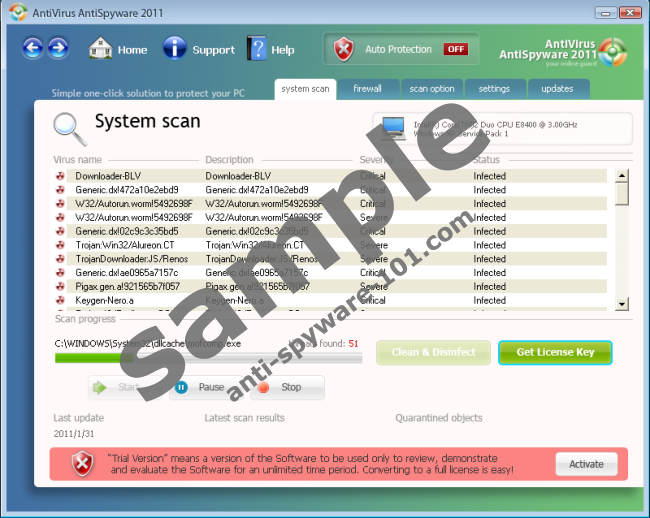
In case you ever get this one the MANUAL fix.
In case you ever get this one the MANUAL fix.
AntiVirus AntiSpyware 2011 Manual Removal
Kill processes:
AntiVirus AntiSpyware.exe securitymanager.exe mscjm.exe recf.exe securityhelper.exe
Delete registry values:
HKEY_CURRENT_USERSoftwareAntiVirus AntiSpyware 2011
HKEY_CURRENT_USERSoftwareMicrosoftWindowsCurrentVersionUninstallAntiVirus AntiSpyware 2011
HKEY_CURRENT_USERSoftwareMicrosoftInternet ExplorerBrowserEmulation "TLDUpdates" = '1'
HKEY_CURRENT_USERSoftwareMicrosoftWindowsCurrentVersionRun "AntiVirus AntiSpyware 2011"
HKEY_CURRENT_USERSoftwareMicrosoftWindowsCurrentVersionRun "AntiVirus AntiSpyware 2011 Security"
Delete files:
AntiVirus AntiSpyware.exe, securitymanager.exe, AntiVirus AntiSpyware 2011.lnk, mscjm.exe, recf.exe, securityhelper.exe [random].exe
Delete directories:
%APPDATA%AntiVirus AntiSpyware 2011
CRT vs LCD - Hardware Mods - HDAdvance - Custom Controllers - Game Storage - Wii Gamecube and other Guides:
CRTGAMER Guides in Board Guides Index: http://www.racketboy.com/forum/viewtopi ... 5#p1109425
-
YoshiEgg25

- Next-Gen
- Posts: 4337
- Joined: Tue Aug 24, 2010 10:26 pm
- Location: Madison, WI
- Contact:
Re: Anybody else had a fake Windows Essentials Security alert?
CRTGAMER wrote:A recent post: http://www.racketboy.com/forum/viewtopi ... 14#p389714

CRT, this is a COMPLETELY different program. Fixes aren't universal.
Gaming accomplishments:
Nibbler (marathon): 251,169,160 / Nibbler (one life): 5,263,360 (WR)
Donkey Kong: 423,100 [L12-1] (150th place as of 2019-01-15)
Super Smash Bros. (N64): Ranked top 5 in Wisconsin from Q1 2016 to Q2 2017
Shrek SuperSlam: won largest tournament in game's history (Shrekfest 2018)
Speedrun.com Profile (contains multiple WRs)
Nibbler (marathon): 251,169,160 / Nibbler (one life): 5,263,360 (WR)
Donkey Kong: 423,100 [L12-1] (150th place as of 2019-01-15)
Super Smash Bros. (N64): Ranked top 5 in Wisconsin from Q1 2016 to Q2 2017
Shrek SuperSlam: won largest tournament in game's history (Shrekfest 2018)
Speedrun.com Profile (contains multiple WRs)
Re: Anybody else had a fake Windows Essentials Security alert?
Instead of flaming when help is offered try comprehending the replies.YoshiEgg25 wrote:CRT, this is a COMPLETELY different program. Fixes aren't universal.CRTGAMER wrote:A recent post: http://www.racketboy.com/forum/viewtopi ... 14#p389714
In case you ever get this one the MANUAL fix.
CRT vs LCD - Hardware Mods - HDAdvance - Custom Controllers - Game Storage - Wii Gamecube and other Guides:
CRTGAMER Guides in Board Guides Index: http://www.racketboy.com/forum/viewtopi ... 5#p1109425
-
YoshiEgg25
- Next-Gen
- Posts: 4337
- Joined: Tue Aug 24, 2010 10:26 pm
- Location: Madison, WI
- Contact:
Re: Anybody else had a fake Windows Essentials Security alert?
And it's not that one.CRTGAMER wrote:Instead of flaming when help is offered try comprehending the replies.YoshiEgg25 wrote:CRT, this is a COMPLETELY different program. Fixes aren't universal.CRTGAMER wrote:A recent post: http://www.racketboy.com/forum/viewtopi ... 14#p389714In case you ever get this one the MANUAL fix.
For me, I can't say, given the information, what to do. This is a case where you have to know exactly what's happening on the screen at a given time. In this case, at my job, I would go out to take a look at the computer. I can't do that.
So, given the fact that Safe Mode wasn't seeming to work either, I can't hand out any specific help. However, that doesn't mean I go spouting off info almost completely unrelated to the topic at hand.
Gaming accomplishments:
Nibbler (marathon): 251,169,160 / Nibbler (one life): 5,263,360 (WR)
Donkey Kong: 423,100 [L12-1] (150th place as of 2019-01-15)
Super Smash Bros. (N64): Ranked top 5 in Wisconsin from Q1 2016 to Q2 2017
Shrek SuperSlam: won largest tournament in game's history (Shrekfest 2018)
Speedrun.com Profile (contains multiple WRs)
Nibbler (marathon): 251,169,160 / Nibbler (one life): 5,263,360 (WR)
Donkey Kong: 423,100 [L12-1] (150th place as of 2019-01-15)
Super Smash Bros. (N64): Ranked top 5 in Wisconsin from Q1 2016 to Q2 2017
Shrek SuperSlam: won largest tournament in game's history (Shrekfest 2018)
Speedrun.com Profile (contains multiple WRs)
Re: Anybody else had a fake Windows Essentials Security alert?
As always, the external solution to an internal problem is the best method. Just make sure the computer you're connecting to is well protected.fastbilly1 wrote:typically, I would take the drive out, put it in an external bay, and run something like Malware Antibytes or Pandasoft on it from a secure machine.fastbilly1 wrote:I do know somebody with a 2.5 external caddy, so I could plug it into my pc like that and see where that gets me.
Also, booting from a Live CD (Knoppix is preferred, although I personally use the totally unsecure-but-Windows-friendly Puppy) you can still go online and scan your PC from there using Linux AV or Anti-Malware softwares. The Windows-based virus shouldn't do anything outside of its native environment. (Like replicate.)fastbilly1 wrote:But if that is not an option, find out where it is, boot from a linux live cd and delete said file. There are lots of options if you know what not to delete from windows - Trinity Repair Kit and ERD Commander for example.
How the virus randomizes itself like an adaptive survival mechanism? Freaky programmers. Generally it doesn't actually randomize, but rather leaves behind a renamed file when the user tries to delete it. You can tell the system to delete it, but you'd have to find the random-name file (fiGYYrasdr.ZIP) or the sneaky-renamed (explorer.exe... located in my Games folder??)Curlypaul wrote:I can actually boot into safe mode with command prompt, I can run regedit and whatever from there but it seems like this particular version randomises itself so I'm not sure what files I'm looking for.
...
Does make me wonder how any of this is actually possible in the first place.
My scheduling skills have died of dysentery; I hope to visit at least on a monthly basis.
Still, don't forget to tip your waitress.
Still, don't forget to tip your waitress.